

How to Set Up Home Office Lighting
Light quality influences eye comfort and posture during long work sessions. Color temperature should match the task and time of day: for general office work, 3500-4500K is a comfortable baseline, while cooler 4000-6500K can boost alertness in the morning and transitional tasks. In the evening, consider 2700-3000K to minimize melatonin suppression and ease wind-down. Look for a CRI of 90+ so colors render accurately on documents and screens, reducing the need to lean forward to inspect details.
Table of Contents
Our Top Picks
Affiliate disclosure: if you buy through these links, we may earn a commission at no extra cost to you.


Factors to Consider
Light quality and color temperature
Brightness, glare control, and light distribution
Choose brightness levels that support the task at hand without causing screen reflections or shadows. Office tasks generally benefit from a target of roughly 300-500 lux for ambient work; more detailed tasks may require 500-1000 lux. Position lamps to spill light onto the task rather than directly into the monitor, and use diffusers or shades to reduce glare and eye strain. A well-distributed, anti-glare setup promotes a neutral posture—you'll avoid leaning in to see small print or adjust your head position constantly.
Adjustability and positioning for optimum posture
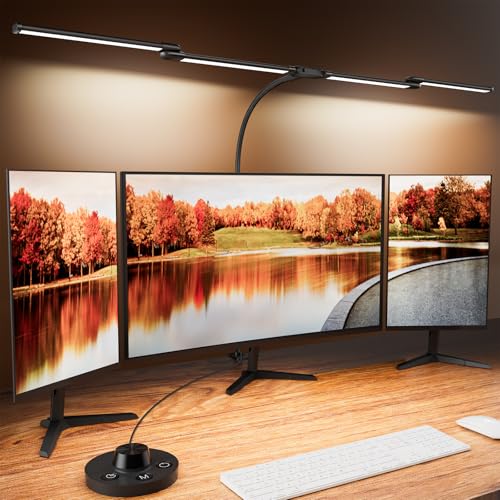
Ergonomic lighting depends on how you adjust the lamp to your desk and chair arrangement, including sit-stand desks and monitor arms. An adjustable arm, tilt, and swing allow you to keep light on your work zone from a comfortable distance without casting harsh shadows on your monitor. Place the lamp to the side and slightly behind your viewing line, roughly 18-24 inches from tasks, and angle it to shine downward. This setup supports a neutral head and neck posture, reducing the tendency to crane or slouch to read fine print.
Flicker, dimming, and color consistency
Many inexpensive LEDs use PWM dimming that can introduce perceptible flicker, contributing headaches for sensitivity or long sessions. Prioritize flicker-free lamps or those with high-frequency drive and stable color output; check spec sheets and customer reviews for flicker-free claims. A higher color rendering index (CRI) above 90 and a consistent lumen output across dimming ranges keep task details clear without forcing you to reposition. In practice, reliable dimming helps you preserve posture by letting you adjust lighting without leaning in toward the screen.
Energy efficiency, maintenance, and smart controls
LED desk lamps offer long life and lower energy use, translating into lower running costs over years of daily use. Choose models with efficient LEDs (low standby power) and replaceable components where possible to reduce waste. Smart features like wake-up scheduling and tunable color temperature can support circadian health if used consistently, but ensure controls are intuitive so you don't alter your posture or position repeatedly to reach them.
Frequently Asked Questions
What brightness level should I aim for in a home office?
Research suggests aiming for about 300-500 lux on the task surface for general desk work, with 500-1000 lux for highly detailed tasks. Keep brightness matched to your monitor so you don’t strain your eyes or adopt a forward-leaning posture to read fine print.
What color temperature is best for productivity during the day?
Many studies support a daytime baseline of 3500-4500K, with cooler temperatures (around 4000-6500K) boosting alertness in the morning and warmer tones (2700-3000K) easing wind-down later. If possible, use tunable lights that shift with time of day to support circadian rhythm.
Is CRI important for desk lighting?
Yes—the CRI should ideally be 90+ to ensure colors render accurately and consistently, reducing visual fatigue when reading documents or judging colors on video calls. High-CRI lighting also helps you avoid squinting or leaning forward to inspect details.
How can I prevent glare from my desk lamp?
Glare is a well-documented contributor to eye strain and headaches; position the lamp to the side and angle it downward to illuminate the task without reflections on the screen. Use diffusers or matte finishes to reduce glare and maintain a neutral neck posture.
Do smart or tunable lights actually improve comfort?
Tunable or smart lights can improve alertness and mood by adjusting brightness and color temperature throughout the day, based on research into circadian lighting. However, they work best when paired with a proper desk setup and do not replace good posture or a suitable chair and monitor height.
Should I worry about flicker or dimming?
Yes—some LED lamps use PWM dimming that can cause perceptible flicker for sensitive users, contributing headaches or eye strain. Choose flicker-free or high-frequency dimming lamps and verify with product specs or reviews before buying.
How should I position a desk lamp for maximum comfort?
Position the lamp off to the side and slightly behind your viewing line, about 18-24 inches from the task, and tilt it downward to illuminate the work without glare on the screen. This posture-friendly setup reduces neck strain and helps you maintain an upright, relaxed posture while reading or typing.
Conclusion
Good lighting is a core part of an ergonomic setup, supporting posture, comfort, and sustained focus. Pair a high-CRI, flicker-free lamp with tunable color temperature and thoughtful placement to protect your eyes and spine during long workdays.


