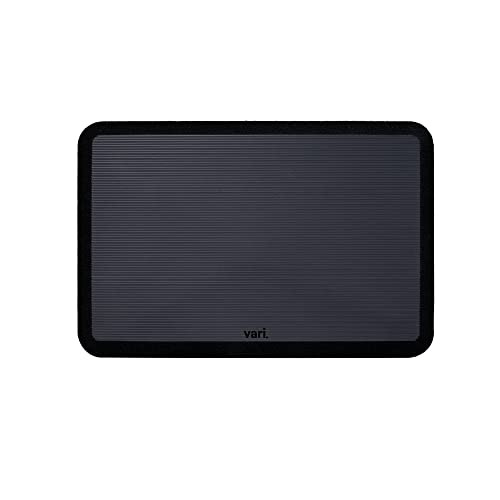
How To Choose A Desk Mat For A Standing Desk Setup
Choosing the right desk mat for a standing desk setup matters more than most people realize. The mat affects how your feet, legs, and lower back feel during long standing sessions, and it can also influence how smoothly your chair rolls, how safely your cables stay routed, and how cleanly your desk space functions overall.
Quick Answer
Choose a desk mat that supports both standing and sitting use, stays stable on your floor, and provides enough cushioning without feeling soft or unstable underfoot. For most standing desk setups, the best mat is large enough to cover your main standing zone, low-profile enough not to interfere with chair casters, and made from durable, easy-to-clean material that works with your flooring. If you stand for long stretches, prioritize cushioning and edge comfort; if you switch often between standing and sitting, make sure the mat transitions smoothly with your chair and cable layout.
Table of Contents
What a desk mat actually does in a standing desk setup
A good desk mat is not just decorative. In a standing desk setup, it acts as a comfort layer between you and the floor, reducing the constant pressure that builds in the feet, calves, and lower back when you stand for extended periods. That matters because even with a well-adjusted standing desk, prolonged static standing can lead to fatigue if your surface is too hard or your posture is locked in place.
The mat also helps organize the workspace physically. It defines your standing zone, which can be especially useful when your desk includes a monitor arm, keyboard tray, laptop stand, or sit-stand converter. When everything is on a clear, stable surface, it is easier to maintain a neutral posture: shoulders relaxed, elbows near 90 degrees, wrists straight, and weight distributed evenly through both feet.
In real use, the mat can also support transitions. If you move between a standing desk and an ergonomic chair throughout the day, the mat should not become a trip hazard or interfere with chair movement. That is why mat shape, thickness, and edge design matter as much as cushioning.
How to choose the right size, thickness, and material
Size is the first decision I recommend making. The mat should cover the area where your feet naturally land when you stand at your desk, plus enough extra room so you are not constantly adjusting your stance to stay on it. For most people, that means a mat wider than shoulder width and deep enough to support small shifts in weight during the day. If you use an anti-fatigue mat under a keyboard tray or sit-stand converter, check that it still leaves space for chair movement when the desk is lowered.
Thickness is where comfort and stability have to be balanced carefully. Thin mats are easier to move and less likely to interfere with chair casters, but they may not provide enough relief for long standing sessions. Thicker mats improve pressure distribution, yet very thick foam can create instability, especially if you use a balance board, under-desk treadmill, or shift frequently between sitting and standing. For many office setups, a medium-thickness mat with a supportive core gives the best long-term comfort.
Material affects durability, cleaning, and how the mat feels underfoot. Closed-cell foam tends to resist moisture and is easy to wipe down, while rubber-backed mats usually grip the floor well and stay in place on hardwood, laminate, or tile. If your desk area includes cable management components, under-desk storage, or a rolling office chair, choose materials that do not curl at the edges or bunch under movement. A beveled edge is especially helpful if your workspace is tight.
Matching the mat to your standing desk, chair, and accessories
Your mat should fit the way your whole workstation operates, not just your feet. If you use an ergonomic chair that rolls between sit and stand positions, confirm that the mat will not create a sharp lip that catches casters. If you use a keyboard tray, the mat should support your standing posture without forcing you to overreach; your elbows should stay close to your torso rather than drifting forward.
Monitor arms and laptop stands also affect mat choice because they influence how often you stand versus sit and how much time you spend in each posture. When your screen is properly positioned at eye level, you are more likely to stand with a neutral neck and less likely to lean or brace yourself with one leg. The mat then becomes part of a stable system that supports balanced posture, rather than a standalone comfort item.
If you use an under-desk treadmill, the mat is usually a different discussion. You generally do not want a thick anti-fatigue mat under the treadmill itself unless the manufacturer specifically allows it. Instead, place the mat in your standing zone next to the treadmill or use a separate surface for stationary standing. Desk mats also need to work around cable management, floor lamp cords, and office storage bases so the area remains uncluttered and safe.
Common mistakes that reduce comfort and safety
One of the most common mistakes is choosing a mat based on softness alone. Comfort does not come from sinking in; it comes from supportive pressure relief. Excessively soft mats can encourage subtle instability at the ankles and hips, which may lead to more fatigue rather than less. If you find yourself shifting weight constantly or gripping the floor with your toes, the mat may be too cushioned or too small.
Another frequent error is ignoring edge quality. Raised, sharp, or curling edges can become a tripping point, especially in setups with office storage drawers, under-desk treadmills, or frequent chair movement. This matters even more if your workspace is in a home office where lighting is not always ideal and you move between multiple tasks during the day.
People also overlook cleaning and longevity. A desk mat in a standing desk setup collects dust, shoe debris, and occasional spills, especially near desk lamps, cable bundles, or printer carts. If the surface is difficult to clean, it will age poorly and may become slippery or unsanitary. A mat should be easy to maintain because a clean, even surface supports both safety and focus.
How to set up and maintain your desk mat for long-term use
Place the mat so your natural standing position falls near its center, not right at the edge. That gives you room to shift weight, step slightly forward or back, and alternate stance without constantly thinking about foot placement. For many people, this means aligning the mat with the keyboard and primary monitor so the whole workstation encourages symmetrical posture.
Once installed, test your setup in both standing and seated positions. Sit down in your ergonomic chair and check whether the mat interferes with chair casters or leg clearance. Then stand for at least 15 to 20 minutes and notice whether your feet feel supported without your knees locking or your lower back tightening. Minor adjustments to desk height, monitor angle, or mat placement can make a major difference in comfort.
Maintenance is simple but important. Wipe the mat regularly, inspect for curled edges, and replace it if compression becomes uneven or the surface starts to harden. A worn mat loses its ergonomic value gradually, which is why people often notice discomfort before they notice the material itself has changed. In a well-designed workspace, the mat should quietly support your posture day after day.
Frequently Asked Questions
Do I really need a desk mat for a standing desk?
If you stand for more than short intervals, yes, it can make a meaningful difference. A desk mat reduces pressure on the feet and legs, helps you stay more comfortable, and supports better posture by making prolonged standing easier to tolerate.
How thick should a desk mat be for standing all day?
There is no single perfect thickness, but most people do well with a supportive medium-thickness mat. Thin mats may not provide enough relief, while overly thick ones can feel unstable and make balance harder.
Can I use the same mat with a rolling ergonomic chair?
Yes, but make sure the edges are beveled or low-profile so chair casters do not catch. If you switch between sitting and standing often, the mat should be stable but not create a barrier when you roll back into your seated position.
Is a softer mat always more comfortable?
No. Too much softness can reduce stability and increase fatigue because your body works harder to stay balanced. The goal is supportive cushioning, not a sinking feeling.
What material is easiest to maintain?
Closed-cell foam and rubber-backed designs are usually the easiest to clean and keep in place. They also tend to hold up well in busy home-office setups where spills, dust, and foot traffic are common.
Should I put a desk mat under an under-desk treadmill?
Usually no, unless the treadmill manufacturer specifically allows it. A separate standing mat is better for stationary work, while the treadmill needs its own stable surface to operate safely.
The right desk mat should support your standing desk setup by improving comfort, stabilizing posture, and making transitions between sitting and standing easier. Focus on support, size, edge design, and compatibility with the rest of your workstation rather than choosing the softest option available. If you are unsure, measure your space, check how your chair and cables move, and choose a mat that fits your real working habits, not just the product photo.